Command & autonomy

HelloGeo GCS Suite

One Ground Control Platform. Every Mission.

PRODUCT OVERVIEW

What it brings
to the workflow.

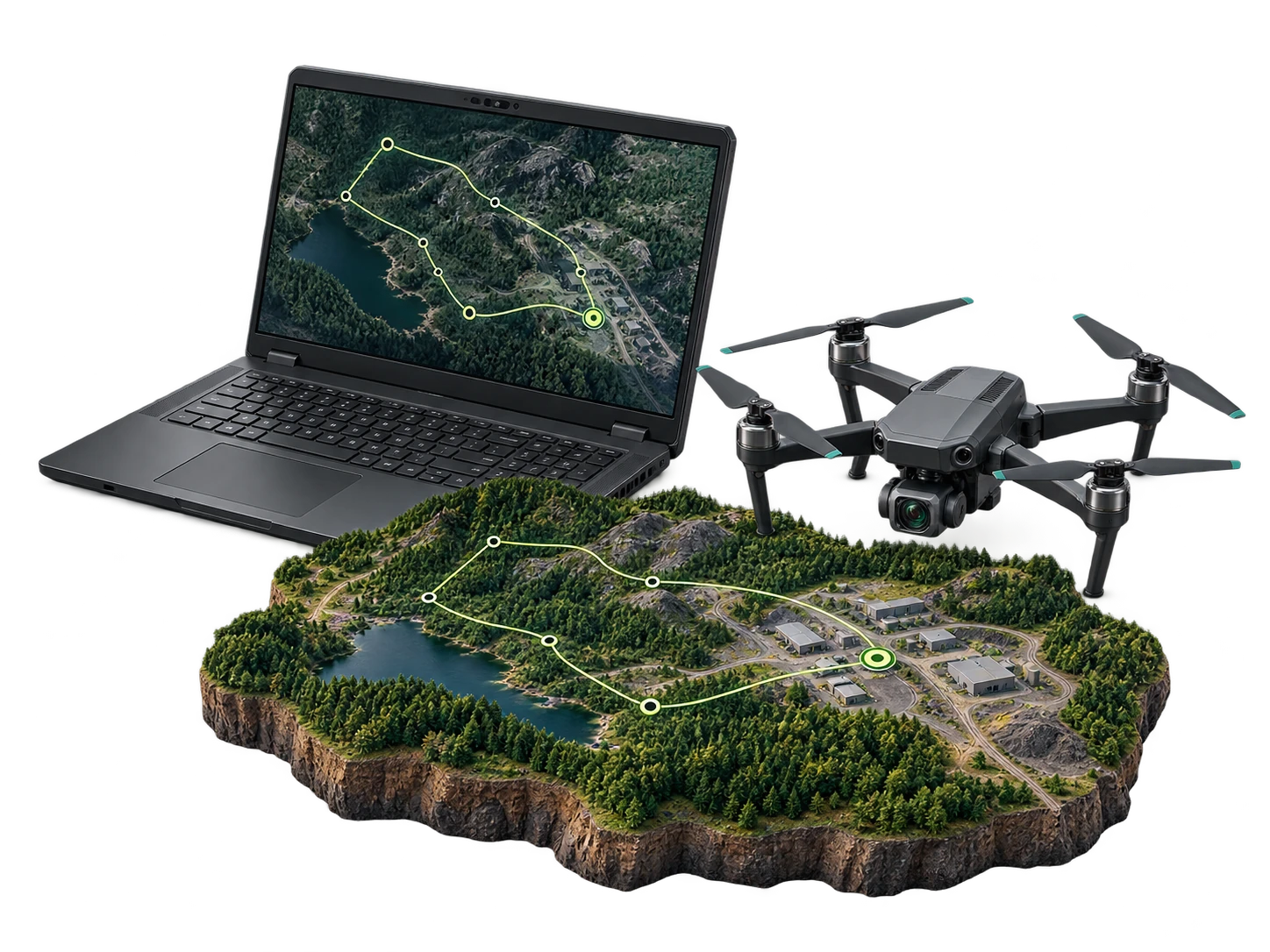
HelloGeo GCS Suite is a secure, multi-platform Ground Control System for planning, controlling, monitoring and documenting drone operations across individual aircraft, autonomous drone stations and distributed fleets.

The platform combines mission planning, live telemetry, payload monitoring, geospatial visualization, remote supervision and operational reporting within one command-ready environment.

CAPABILITIES / 16 FEATURE GROUPS

Go deeper into
the product.

Explore the published capability areas. Product configuration and deployment scope determine availability.

01 Advanced Mission Planning
  • Create waypoint-based flight missions
  • Define altitude, speed and flight direction
  • Configure grid, corridor, orbit and inspection routes
  • Establish geofences and operational boundaries
  • Define points and areas of interest
  • Configure terrain-aware missions where supported
  • Save and reuse mission templates
  • Schedule recurring or on-demand missions
  • Review estimated duration, distance and battery requirements
02 Multi-Platform UAV Support
  • Support for configurable enterprise UAV integrations
  • Integration with supported DJI Enterprise platforms
  • MAVLink-compatible aircraft connectivity
  • Pixhawk, PX4 and ArduPilot-based integrations
  • Fixed-wing, multirotor and VTOL mission workflows
  • Custom UAV and payload integration options
  • Organization-specific aircraft profiles
  • Common interface across mixed fleets

Aircraft compatibility depends on model, firmware, communication method and available manufacturer APIs.

03 Live Flight Monitoring
  • Real-time aircraft position and flight-path visualization
  • Altitude, speed, heading and distance monitoring
  • Battery, link and GNSS-status information
  • Mission progress and waypoint tracking
  • Home-point and return-path visibility
  • Aircraft and payload health indications
  • Live operational alerts
  • Multi-map and satellite basemap options
04 Payload and Sensor Operations
  • Live RGB-camera monitoring
  • Supported thermal-camera visualization
  • Multispectral mission configuration
  • LiDAR payload integration where supported
  • Camera angle and gimbal-control workflows
  • Photo and video capture commands
  • Zoom and supported payload functions
  • Sensor-specific mission parameters
  • Geotagged payload-data recording
05 Live Video and Data Streaming
  • Secure low-latency video monitoring
  • Multi-camera and payload-feed support
  • Browser and command-centre viewing
  • Adaptive streaming based on connectivity
  • Live telemetry synchronized with video
  • Operator and stakeholder access control
  • Incident capture and evidence recording
  • Stream integration with command systems
06 Remote Operations
  • Monitor missions from authorized remote locations
  • Supervise multiple operational sites
  • Remotely upload and manage mission plans
  • Start, pause, resume or terminate supported missions
  • View aircraft and drone-station status
  • Support command-centre oversight
  • Maintain communication and mission histories
  • Escalate abnormal events to responsible teams

Remote command functions are subject to aircraft compatibility, connectivity, aviation regulations and authorized operating procedures.

07 Autonomous Drone-Station Integration
  • Integration with supported HelloGeo drone stations
  • Scheduled and event-triggered missions
  • Automated launch and recovery workflows
  • Station-door and environmental-status monitoring
  • Aircraft charging and readiness visibility
  • Automated data upload after mission completion
  • Multi-station supervision from one interface
  • Remote system diagnostics
  • Mission history by station and aircraft
08 Multi-UAV and Fleet Management
  • Register aircraft, stations, payloads and operators
  • Organize assets by region, project or customer
  • Monitor aircraft availability and readiness
  • Track battery and payload assignments
  • Review utilization and mission hours
  • Maintain service and maintenance histories
  • Monitor multiple simultaneous missions
  • Generate fleet-performance summaries
  • Configure organization-level operating policies
09 GIS-Enabled Mission Context
  • Display GIS, satellite and terrain basemaps
  • Overlay project boundaries and asset locations
  • Import KML, KMZ, GeoJSON and supported vector layers
  • Visualize orthomosaics and elevation products
  • Plan missions against infrastructure corridors
  • Display no-fly and restricted operational areas
  • Review completed flight tracks
  • Link captured data with mapped assets
10 Safety and Failsafe Management
  • Configurable altitude and distance limits
  • Geofence and operational-boundary controls
  • Return-to-home configuration
  • Low-battery and communication-loss procedures
  • Mission pause and controlled termination
  • Pre-flight readiness checks
  • GNSS and positioning-status monitoring
  • Operator alerts and exception handling
  • Post-event operational review
11 AI-Assisted Mission Intelligence
  • Detect supported anomalies in live or captured imagery
  • Prioritize alerts for human verification
  • Identify asset, vegetation and surface changes
  • Support thermal-anomaly detection
  • Generate confidence-based observations
  • Create georeferenced issue markers
  • Convert detected events into trackable actions
  • Integrate findings with GIS and digital-twin projects
12 Mission Records and Reporting
  • Automatically record mission telemetry
  • Store flight paths and operational events
  • Maintain aircraft, operator and payload histories
  • Attach imagery and supporting evidence
  • Generate mission-summary reports
  • Export logs for operational review
  • Support audit and compliance documentation
  • Search previous missions by project, aircraft or date
13 Team Collaboration
  • Role-based access for pilots, supervisors and analysts
  • Mission-review and approval workflows
  • Shared operational notes and annotations
  • Real-time command-centre visibility
  • Controlled stakeholder access
  • Incident assignment and escalation
  • Standard operating procedure integration
  • Centralized communication and activity records
14 APIs and Enterprise Integration
  • API-ready architecture
  • Integration with GIS and digital-twin platforms
  • Command-centre and ICCC connectivity
  • Supported ERP, EAM and maintenance-system integration
  • Sensor and IoT-platform connectivity
  • Automated data-transfer workflows
  • Webhook and alert integrations
  • Custom system connectors for enterprise deployments
15 Secure Deployment
  • Role-based access control
  • Project and organization-level permissions
  • Secure authentication and session management
  • Encrypted communication and data transfer
  • Comprehensive activity and audit logs
  • Public-cloud, private-cloud and on-premise options
  • Configurable data-retention policies
  • Sovereign deployment for sensitive operations
16 Nexus dock configurations

DJI Dock 2 with Matrice 3D / 3TD; Dock 3 with Matrice 4D / 4TD; Dock 4 with Matrice 5TD and O4 Ground Station.

  • Choose the exact station and aircraft pairing
  • Dock 4 uses the separate Nexus Cloud API 2 module
  • Dedicated Cloud API 2 configuration and commissioning workflows, with operation, recovery and history adapters. Device capabilities, licensed access and site acceptance govern availability; operational controls remain commissioning-gated.
PROJECT CONTEXT

From capability
to useful work.

Supported Operational Modes
Local Ground Control
Mission planning and aircraft control from an approved field workstation.
Remote Supervision
Monitor supported aircraft and drone stations through secure network connectivity.
Command-Centre Operations
Supervise multiple sites, missions and assets through a centralized operational interface.
Autonomous Operations
Execute scheduled or event-triggered missions through compatible drone stations and aircraft.
Operational Workflow
  1. Prepare

    Register the aircraft, payload, operator and operating location

  2. Plan

    Define routes, waypoints, geofences and mission parameters

  3. Validate

    Complete readiness, safety and authorization checks

  4. Execute

    Fly locally, remotely or through a compatible drone station

  5. Monitor

    View live telemetry, video, alerts and mission progress

  6. Analyse

    Connect captured information with GIS and AI workflows

  7. Report

    Generate mission records, findings and audit-ready documentation

Applications
  • Transmission-line and tower inspections
  • Substation and distribution-network monitoring
  • Vegetation and right-of-way assessment
  • Thermal anomaly identification
  • Emergency outage reconnaissance
  • Repeatable corridor missions
  • Maintenance evidence collection
  • Solar-panel thermal inspections
  • Wind-turbine blade and tower assessment
  • Construction-progress monitoring
  • Vegetation and access-road review
  • Repeatable automated inspections
  • Asset-condition documentation
  • Maintenance-priority mapping
  • Site-progress monitoring
  • Highway, railway and metro surveys
  • Bridge and structure inspections
  • Earthwork and stockpile measurement
  • As-built documentation
  • Corridor and encroachment assessment
  • Contractor reporting
  • Crop-health mapping
  • Multispectral survey missions
  • Irrigation and drainage assessment
  • Plantation and forest inventory
  • Fire-risk monitoring
  • Damage and disease assessment
  • Spray-mission planning where authorized
  • Pit and quarry mapping
  • Stockpile surveys
  • Haul-road and slope monitoring
  • Industrial-facility inspections
  • Safety-zone supervision
  • Change detection
  • Environmental compliance documentation
  • Port and harbour surveillance
  • Berth and quay-wall monitoring
  • Vessel and restricted-zone observation
  • Coastal and shoreline surveys
  • Pollution and discharge monitoring
  • Emergency reconnaissance
  • Integration with marine operational systems
  • Rapid incident-area mapping
  • Flood, fire and landslide assessment
  • Search-and-rescue support
  • Live situational awareness
  • Hazard and access-route identification
  • Emergency communication support
  • Post-disaster documentation
  • Persistent perimeter monitoring
  • Tactical mapping and reconnaissance
  • Border and sensitive-site surveillance
  • Multi-site command operations
  • Controlled mission planning
  • Incident and evidence management
  • Secure deployment in sovereign environments

Product content aligned to the HelloGeo official catalogue, reviewed 2026-10-09. Original product catalogue

EXPLORE THE PRODUCT

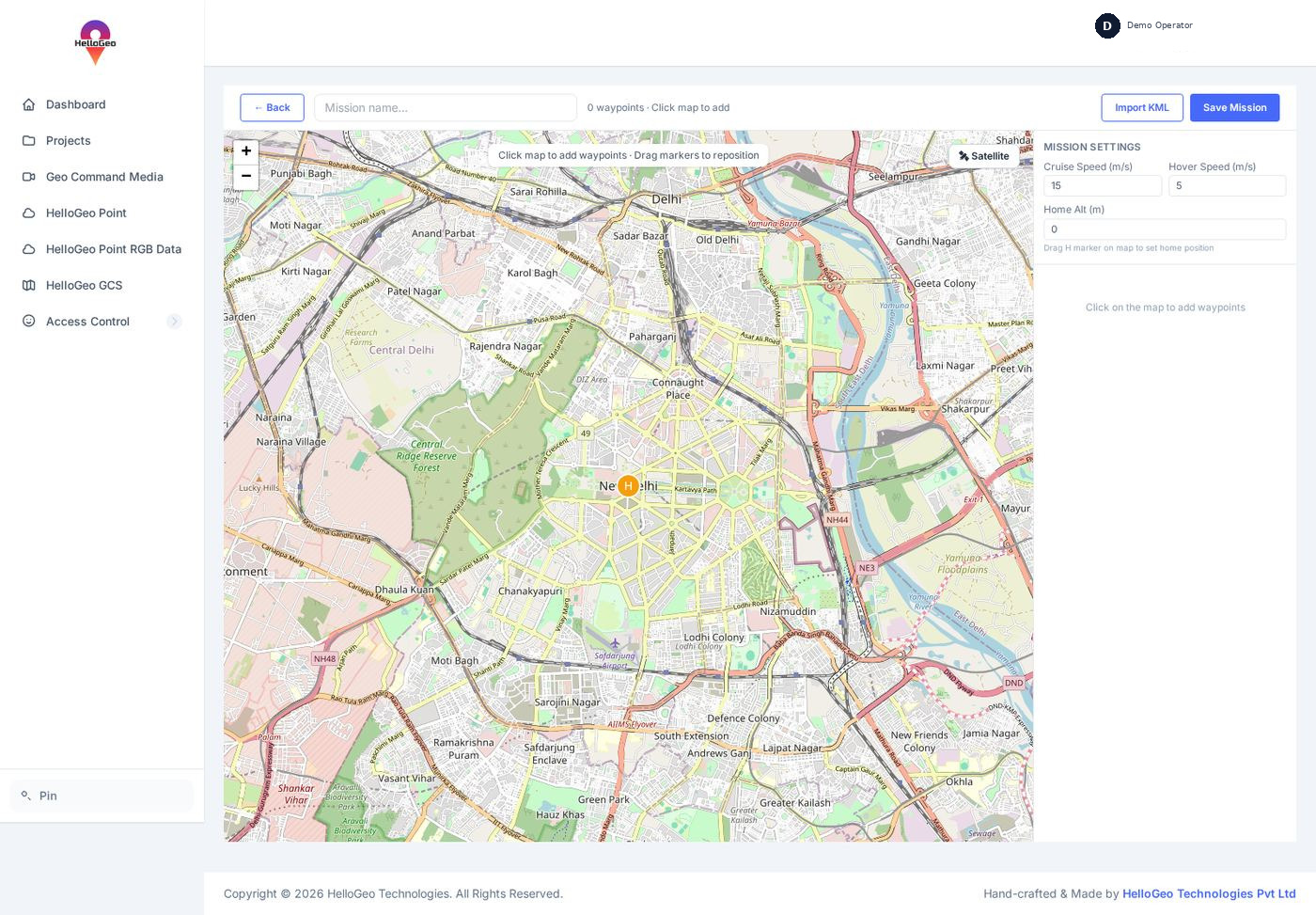
Your mission starts on the map.

Prepare waypoint geometry, review mission settings and follow the documented planning workflow with your team.
  • Mission files
  • Waypoint planning
  • Mission settings
CONNECTED WITH NEXUS

Explore the Nexus mission workflow.

For the Nexus browser route within the wider GCS ecosystem, connect structure planning, reusable mission records and a clear review before supported execution.

01 / NEXUS

Structure planning

Single-façade, four-sided building and circular waypoint planning, with route parameters kept visible for review.

Explore planning
02 / NEXUS

Mission library

Save, search, edit and reopen plans. Keep revisions, reuse a saved plan and exchange portable planning JSON.

Explore the library
03 / NEXUS

Mission management

Review saved copies, reuse history and receipts. Check the mission revision, checksum and aircraft readiness before supported execution.

Explore mission management
THE NEXT STEP STARTS WITH A CONVERSATION

Bring us the challenge.
Let’s build the connection.

Your team knows the site. We know the spatial workflow. Together, we can define a practical way forward.

NEXUS / SUPPORTED DEVICE CONFIGURATIONS

DJI Dock 4.
Matrice 5TD.

The new dock configuration joins the Nexus ecosystem with its own Cloud API 2 module.

Coverage updated
17 October 2026
01 / STATION

DJI Dock 4

Dock infrastructure with automated battery swapping.

02 / AIRCRAFT

DJI Matrice 5TD

The aircraft DJI specifies for Dock 4.

03 / REQUIRED CONNECTION

O4 Ground Station

Required for Dock 4, with video transmission and RTK functions.

Choose the matching dock and aircraft
DockSupported aircraftNexus connectionConfiguration
DJI Dock 2Matrice 3D / Matrice 3TDDock Cloud API pathwayExisting station and site commissioning
DJI Dock 3Matrice 4D / Matrice 4TDDock Cloud API pathwayExisting station and site commissioning
DJI Dock 4Matrice 5TDDedicated Cloud API 2 moduleO4 Ground Station + licensed DJI base

Nexus module scope

Dedicated Cloud API 2 configuration and commissioning workflows, with operation, recovery and history adapters. Device capabilities, licensed access and site acceptance govern availability; operational controls remain commissioning-gated.

Deployment configuration

Match the station, aircraft and firmware. Configure the licensed base, organisation access, power and network, then complete the site acceptance checks.

9 DJI RC profiles and 24 Autel-family profiles remain separate from the 5 dock-aircraft entries. Dock 4 uses a dedicated Cloud API 2 connection.