Work the face of the asset.
Set the wall dimensions, bearing, standoff and overlap. Choose the starting side and vertical direction.
Plan the mission. Build the library. Manage the operation.
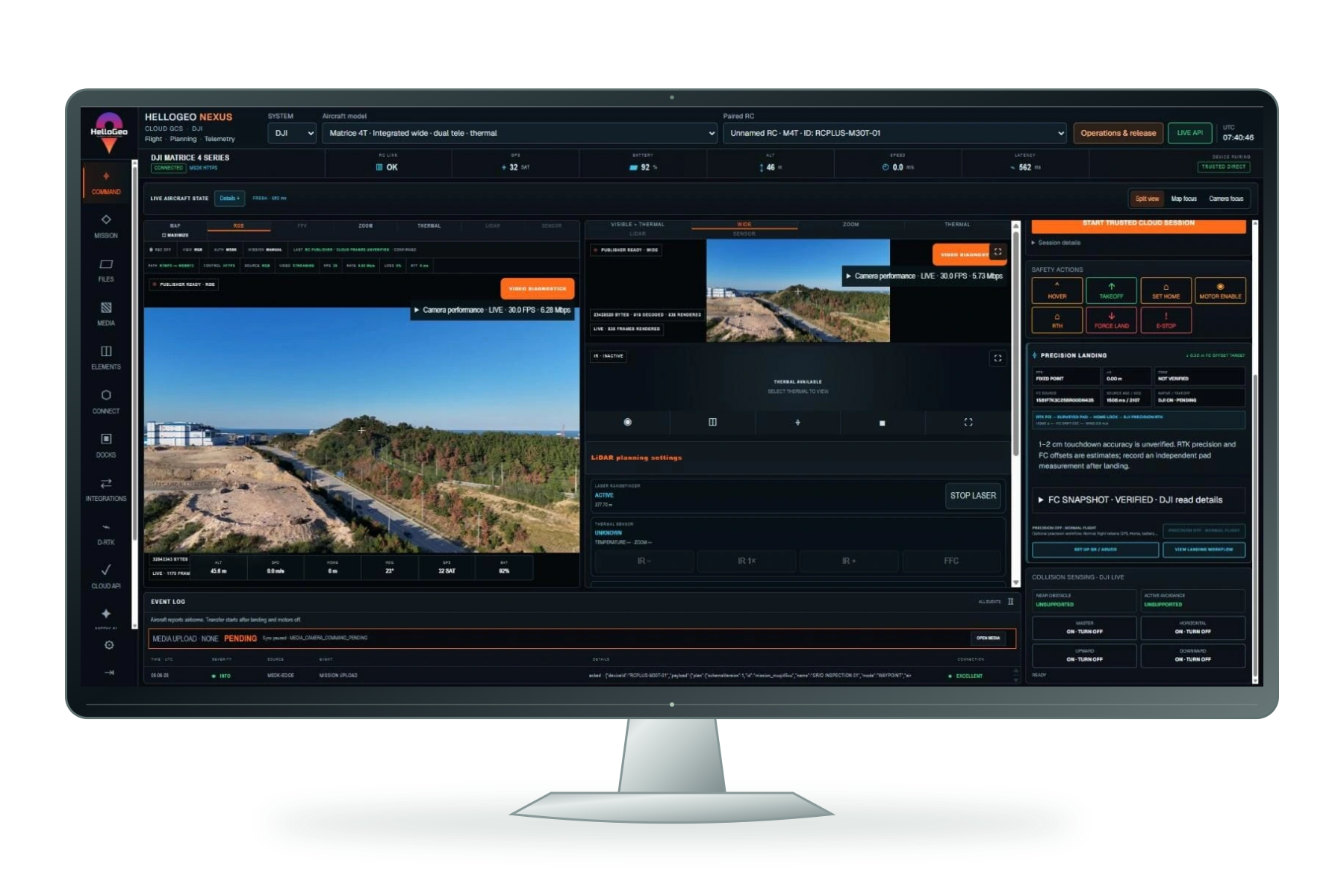
Plan façade, building, circular and survey missions with HelloGeo Nexus. Organise revisioned mission libraries, reuse routes and review connected operations.
MISSION DESIGN / UPDATED 17 OCTOBER 2026
Site → Route → Preview. Inspect the geometry from isometric, top, front and side views, then refine the mission before handoff.
Set the wall dimensions, bearing, standoff and overlap. Choose the starting side and vertical direction.
Build a four-sided route from measured dimensions. Choose the start corner, travel direction and height levels.
Adjust radius, altitude, start angle and direction, with inward camera heading and sampled capture waypoints.
Planning illustrations. Building previews use entered measurements; circular plans use sampled waypoints. Review site clearance and transit paths before execution.
Waypoint and freehand grids, target GSD, nadir and oblique passes, terrain context, camera timing and battery-aware sorties.
Explore planning capabilities ↗MISSION LIBRARY MANAGEMENT
Save a named design, find it by family or search, and bring it back into the planner. Reuse creates an independent copy, keeping the original and its revision context intact.
Explore the mission libraryNamed records, family filters, route previews and revision-aware editing.
Review a compatible aircraft profile, camera settings and calibration. Track source revision, target profile and saved-copy status.
Owner-scoped cloud sync, offline pending saves and explicit conflict recovery. Move library designs with portable planning JSON.
Sync runs while supported applications are active. Controller build availability applies. Planning JSON is separate from aircraft upload files; incompatible vendor formats require a new plan or explicit conversion workflow.
MISSION MANAGEMENT
Keep the route revision, preparation checks and available execution records connected throughout the workflow.
Review the current aircraft, height reference, camera configuration and route changes.
Check revision and checksum, then follow delivery acknowledgements in the supported controller workflow.
Use mission history, saved-copy inventory, available RC receipts and live side-view telemetry where provided.
Loading a design does not transfer earlier flight permission. A saved copy or start acknowledgement does not establish a completed flight, captured media or full coverage.
The new dock configuration joins the Nexus ecosystem with its own Cloud API 2 module.
Dock infrastructure with automated battery swapping.
The aircraft DJI specifies for Dock 4.
Required for Dock 4, with video transmission and RTK functions.
| Dock | Supported aircraft | Nexus connection | Configuration |
|---|---|---|---|
| DJI Dock 2 | Matrice 3D / Matrice 3TD | Dock Cloud API pathway | Existing station and site commissioning |
| DJI Dock 3 | Matrice 4D / Matrice 4TD | Dock Cloud API pathway | Existing station and site commissioning |
| DJI Dock 4 | Matrice 5TD | Dedicated Cloud API 2 module | O4 Ground Station + licensed DJI base |
Dedicated Cloud API 2 configuration and commissioning workflows, with operation, recovery and history adapters. Device capabilities, licensed access and site acceptance govern availability; operational controls remain commissioning-gated.
Match the station, aircraft and firmware. Configure the licensed base, organisation access, power and network, then complete the site acceptance checks.
9 DJI RC profiles and 24 Autel profiles remain separate from the 5 dock-aircraft entries. Dock 4 uses a dedicated Cloud API 2 connection.
9 DJI RC profiles. 24 Autel profiles. Separate Dock and open-autopilot workflows.
Plan routes, review aircraft context and pass missions through the compatible controller workflow. Dock 2, Dock 3 and Dock 4 are listed separately from the nine RC profiles.
Nine aircraft profiles for the NEXUS mission workspace.
Separate Cloud API aircraft pathway.
Separate Cloud API aircraft pathway.
Cloud API 2 configuration and commissioning. O4 Ground Station required; operational controls remain gated by site acceptance and device readiness.
Dock workspaces include camera/thermal, weather/RTK, power and HMS monitoring. Advanced Dock scope remains partial and requires site commissioning.
Explore EVO II V2/V3 and enterprise families. Mission geometry, payload choices and controller handoff are checked against the selected aircraft profile.
Seven V2 catalogue profiles with platform-specific controller integration.
Six V3 catalogue profiles; verify the exact controller and payload configuration.
Nine observed profile labels. Autel lists the EVO III Series publicly; the exact EVO III Enterprise and Titan catalogue labels still require manufacturer confirmation. A profile label does not confirm compatibility for every configuration.
These 22 multirotor profiles and the two Dragonfish VTOL profiles form the 24-profile Autel catalogue. Catalogue presence is distinct from native flight qualification.
Waypoint and grid planning bring camera footprint, overlap and JSON/GeoJSON mission geometry into a dedicated VTOL workflow.
Two long-area survey planning profiles.
Controller-specific mission conversion, transition behaviour, turns and wind limits need validation on the selected platform.
Use the exact Dragonfish aircraft, controller, payload and firmware combination for acceptance.
Source catalogue names are DragonFish Standard and DragonFish Pro. The listed planning profiles are not an all-configuration flight certification.
For compatible Pixhawk flight-controller hardware running ArduPilot or PX4, MAVLink provides the communication pathway. HelloGeo Flight is the published Android ground-control application in this ecosystem.
Pixhawk is a flight-controller hardware family. Choose a board supported by the required firmware and vehicle configuration.
ArduPilot or PX4 runs the vehicle. MAVLink carries the supported telemetry and mission exchange.
Mission, geofence and rally planning; vehicle setup, telemetry, diagnostics, flight logs and geotagging.
Technical references: PX4 / PixhawkArduPilot hardwareMAVLink
Flight is the MAVLink GCS pathway; VECTOR is the DJI/Autel controller layer. No universal Pixhawk board, vehicle, firmware or payload qualification is implied.
Validate your configuration. Exact aircraft, controller, firmware, payload and SDK deployment checks govern operational use. RC catalogue observations: 7 October 2026. Dock coverage updated: 15 October 2026.
Explore the published capability areas. Product configuration and deployment scope determine availability.
Turn measured site geometry into a route you can inspect and refine.
Prepare coverage around the site, camera and required output.
Keep reusable planning work organised in one revisioned library.
Create independent copies while preserving the original plan.
Keep preparation, delivery and review connected to the right revision.
Bring supported Nexus and VECTOR planning workflows together.
Separate controller, dock and open-autopilot integration paths.
Dedicated Cloud API 2 configuration, commissioning/readiness, operation/recovery and extension workflows. Operational controls remain commissioning-gated.
Use the mission context to coordinate supported field operations.
Define inputs, access requirements and acceptance criteria with the HelloGeo team before operational deployment.
Define inputs, access requirements and acceptance criteria with the HelloGeo team before operational deployment.
Define inputs, access requirements and acceptance criteria with the HelloGeo team before operational deployment.
IDEAS INTO OPERATIONS / 01
Explore how a survey route, an inspection circuit and a field survey take shape. Adjust the spacing. Watch the geometry respond.
01 / SURVEY ROUTE
A parallel survey pattern across a 220 × 140 m site. Tighter lines add distance and capture samples.
Capture sample interval: 10 m along the route.
Playback ×12. Estimate excludes turns, setup and capture dwell.
Your team knows the site. We know the spatial workflow. Together, we can define a practical way forward.